Thank you very much for downloading Ukulele San. This is the support webpage for the Ukulele San iPhone Application. Hope you enjoy playing the Ukulele San!! Ukulele San is a virtual instrument that has the the features of a real ukelele combined with abilities that would be otherwise impossible to recreate. This application is designed for people who are familiar with the ukulele and also those who have little or no experience with a ukulele.
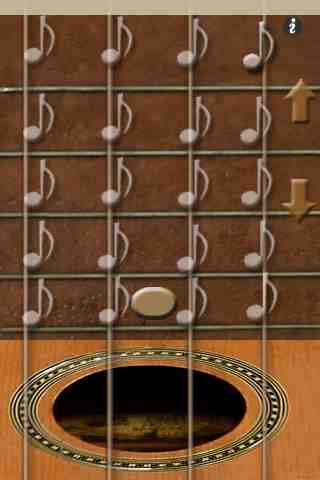
Ukulele San’s initial settings have been pre-selected to make it resemble an actual ukulele. In Easy Mode, you can see the chord shortcuts that let you play Ukulele San very easily. You can enjoy other features of Ukulele San simply by changing the provided settings.
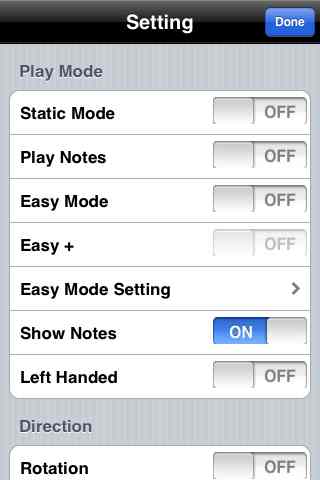
*How to use the setting menu
Sticky String: Ukulele San continues to press a note or chord after you let go (formerly known as "Static mode").
Hammer Down Notes: Play the note when you touch a string between the frets.
Easy Mode: Provides chord shortcuts. You can press the shortcut instead of pressing several strings to play a single chord.
Easy+: This is an additional function for Easy Mode. Easy Mode helps you to place strings easily, but you could only play the chord provided on the screen. Easy+ helps you to play other chords with Easy Mode. Easy+ provides chord shortcuts, but any other presses on the strings are regular notes.
Chord Shift: Left, right, up and down arrows will appear on the screen. The left and right arrows let you change the types of the chords. The up and down arrows let you change he keys of the chords.
Left-Handed: The new feature for Left-Handed people!! It reverses the string positions.
Rotation: Rotate the screen when you tilt the device.
And more functions will be updated!!!
Please send bug reports, opinions, and ideashere. Thanks again and HAVE FUN!!
When you play Ukulele San make sure that you are not using silent mode and you need to use speakers or earfones with iPod touch first generation.
If you are using iPhone or second generation iPod touch it is possible to play the Ukulele San without using earphones or speakers but it will sound much better if you use those audio devices.